Passport · Visa · ID photos · Android
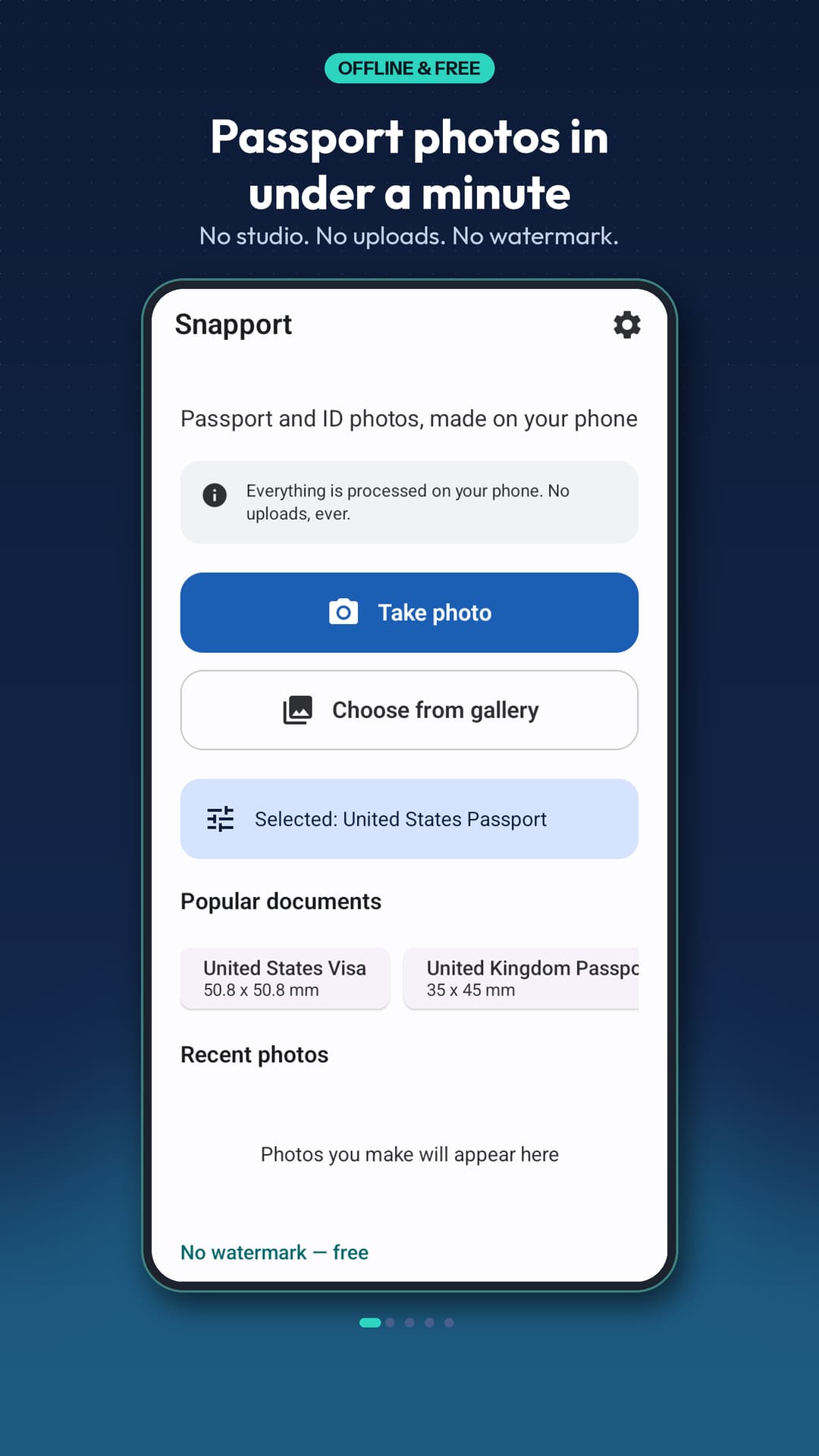
Passport photos in under a minute.
Pick a photo or take a selfie. Snapport finds your face, crops to the size the authority publishes, and sets a clean background — all on your phone, with no watermark and no sign-up.


Independent, and offline
Your ID photo never leaves your phone
Face detection, cropping, background replacement and print sheets all run on your device — there is no account and no server that could receive your photo. Snapport is an independent app, not a government service: every size in it is copied from the authority's own published requirements, and the official source for each one is linked inside the app.
What the app does and does not collect is in the privacy policy.
What Snapport does
From a selfie to a print-ready sheet
Documents
The size your document actually needs
- US passport and visa 2x2 in, and DV Lottery 600x600 px
- UK and Schengen 35x45 mm, Canada 50x70 mm
- Pakistan, India, UAE, Saudi Arabia, Australia, China, Japan, Bangladesh — plus custom sizes

Compliance
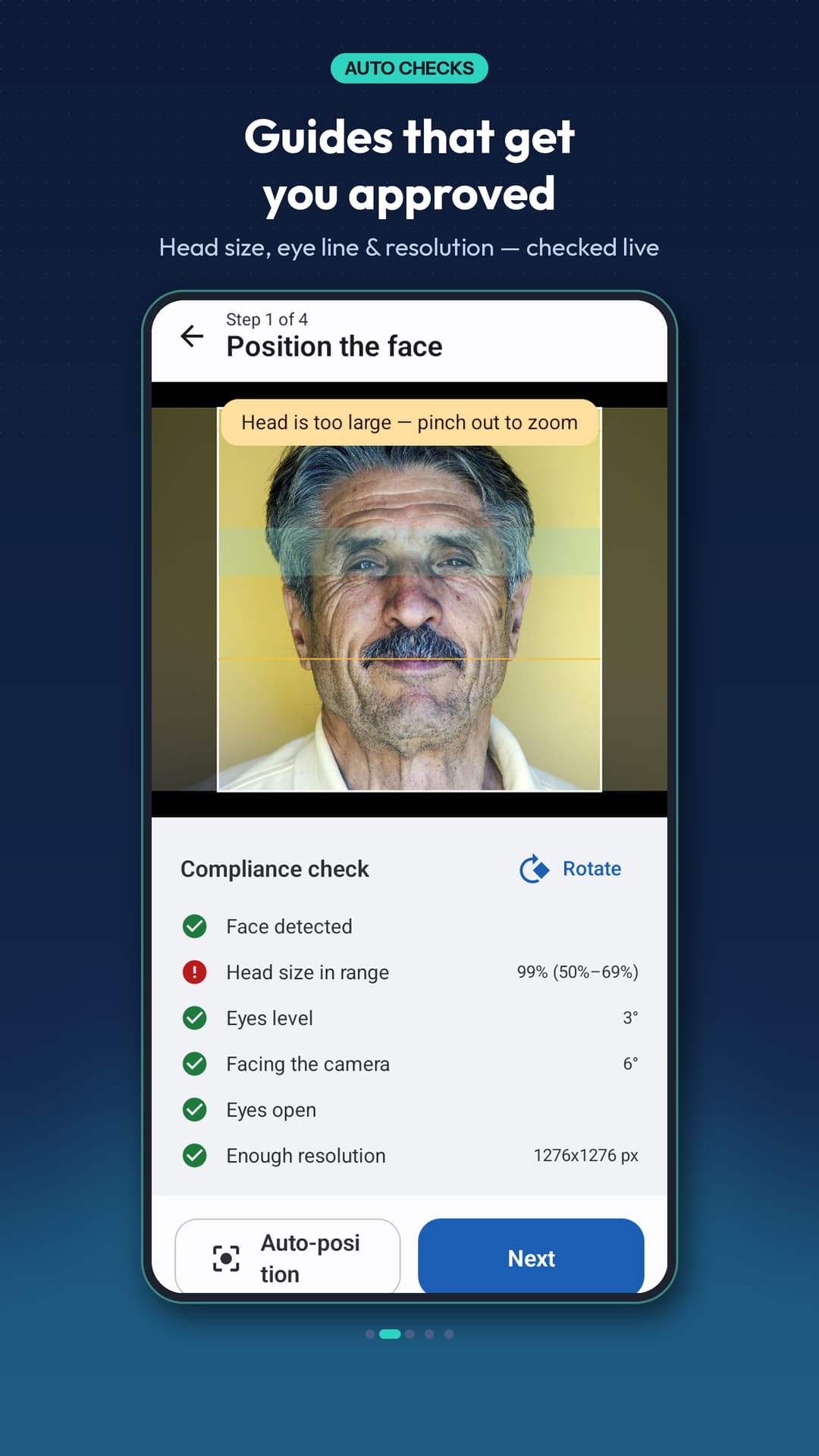
Guides that get you approved
- Head size and eye line checked against the document's rules
- Eyes level, facing the camera, eyes open and enough resolution
- Auto-position, so you are not guessing at the crop

Background
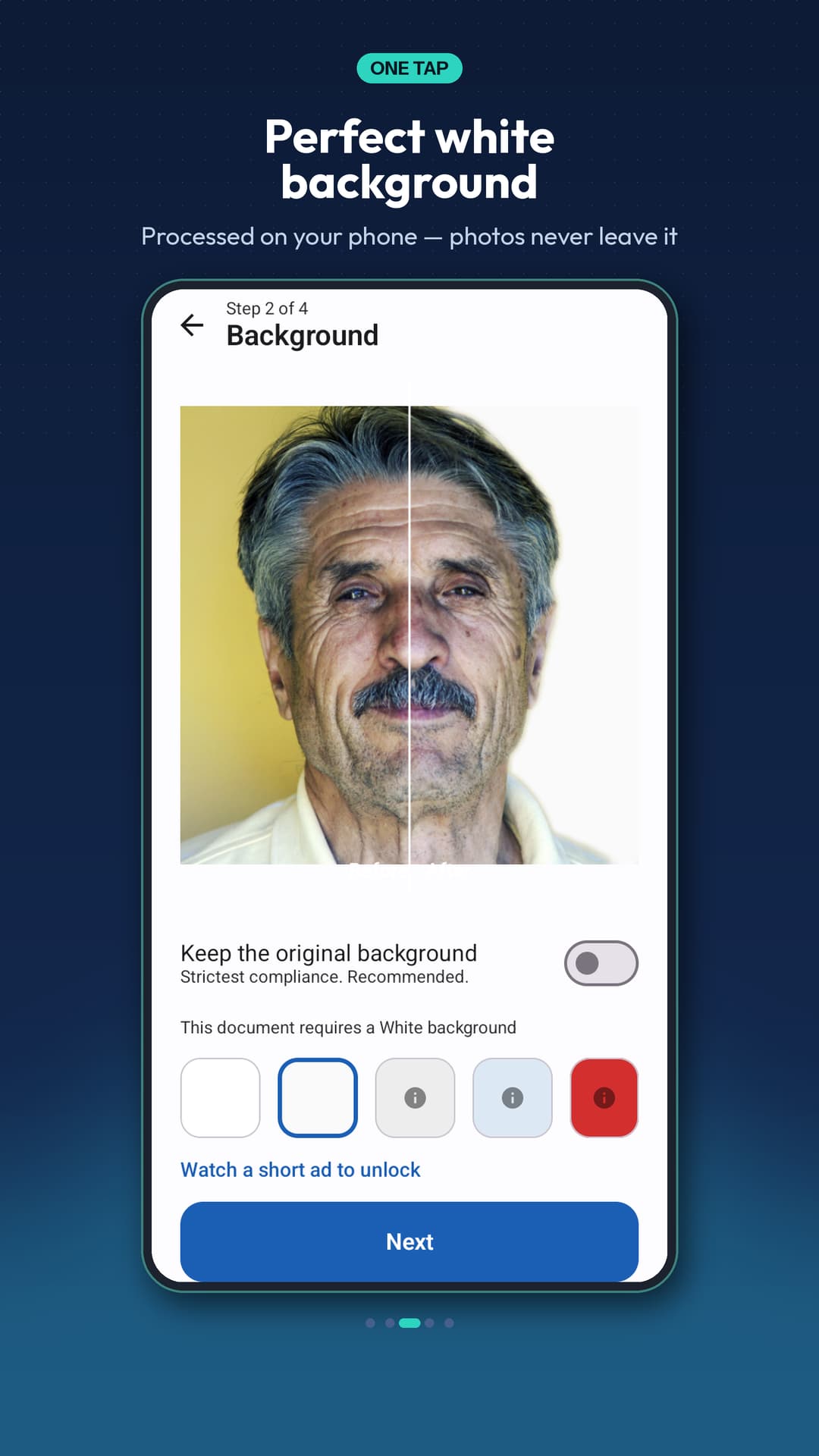
A clean background in one tap
- White, off-white, light blue, grey or red
- The colour your document requires is highlighted for you
- Applied on your device — the photo is never uploaded

Adjust
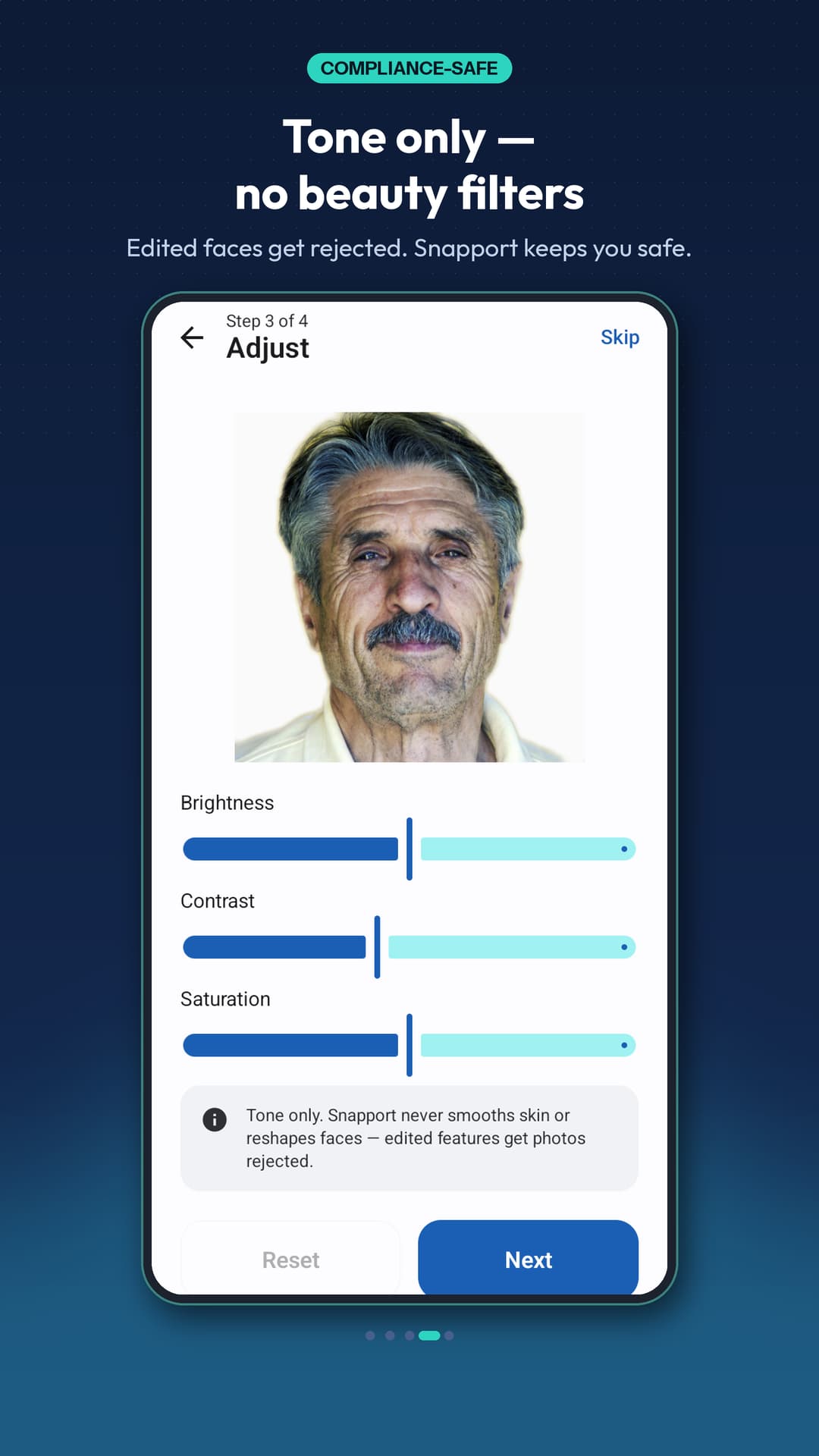
Tone only — no beauty filters
- Brightness, contrast and saturation
- Never smooths skin or reshapes features
- Edited faces get rejected, so Snapport does not edit them

Print & save
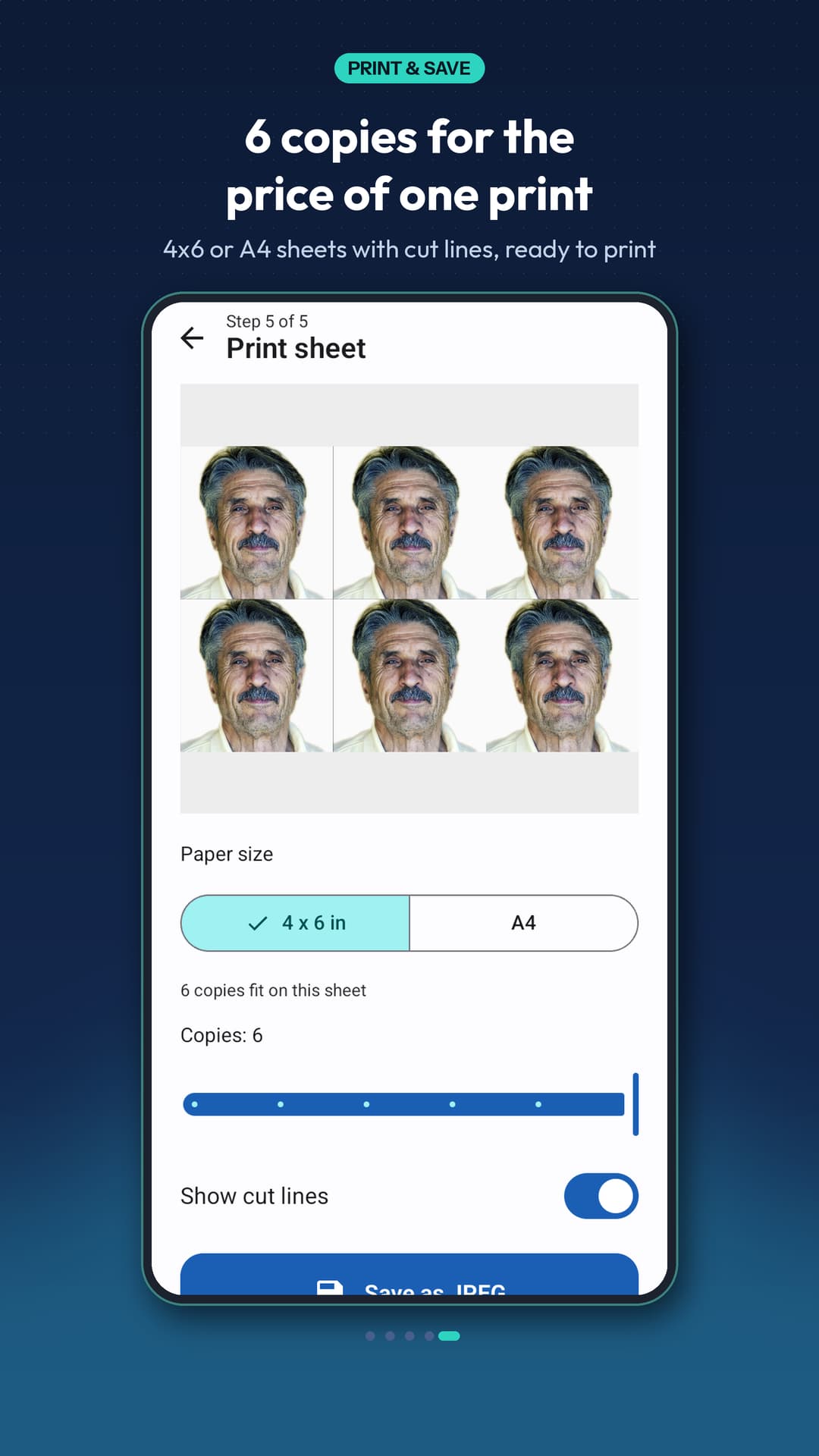
Six copies for the price of one print
- 4, 6 or 8 copies on 4x6 photo paper or A4, with cut lines
- Exact pixels and 300 DPI print resolution
- Compress under 240 KB, 100 KB or 50 KB for online forms

Snapport is an independent app by Nainnie Labs. It is not a government app, and is not affiliated with, endorsed by, or authorised by any government, embassy or passport authority. It does not submit, process or file applications. Photo sizes are copied from each authority's own published requirements, and the official source for every size is listed in the app under Settings → Official sources. Snapport only helps you prepare a photo file to the published measurements; it cannot guarantee acceptance, and the issuing authority is the only body that decides whether a photo meets its requirements. Always check the official website for current rules before you apply.
Pricing
Free, with no watermark.
Making a passport photo is free, and the export is clean — there is no watermark on the free version and no sign-up at any point.
- Free — no account, no sign-up
- No watermark, even before you pay anything
- Ads support the free version; a one-time purchase removes them
Some optional extras can be unlocked by watching a short ad, and the ad-free upgrade is a one-time purchase rather than a subscription.
Take a look
Snapport, screen by screen
Questions
Snapport — frequently asked
Is Snapport an official government app?
No. Snapport is an independent app by Nainnie Labs. It is not affiliated with, endorsed by, or authorised by any government, embassy or passport authority, and it does not submit or process applications. Photo sizes are copied from each authority's own published requirements.
Does Snapport add a watermark?
No, not even in the free version. Your exported photo and print sheets come out clean, at the pixel size and DPI the document requires.
Are my photos uploaded anywhere?
No. Face detection, cropping, background replacement and print-sheet generation all run on your device. Snapport has no account system and no server that could receive your photos — ID photos are sensitive documents, so they stay on your phone.
Can Snapport guarantee my photo will be accepted?
No. Snapport helps you prepare a photo file to the published measurements, but acceptance decisions rest entirely with the issuing authority, and requirements change. Always check the official website for current rules before you apply.
Can I print passport photos at home?
Yes. Export a sheet with 4, 6 or 8 copies on 4x6 photo paper or A4, with cut guides. That turns one print at a photo shop into a sheet you can cut yourself.
Make your passport photo in under a minute.
Free on Google Play. Coming soon to the App Store.
Questions? hello@nainnielabs.com · Privacy policy