Scandra app iconScandra

Document scanner · OCR · PDF tools · Android

Scan. Search. Send.

A proper document scanner in your pocket: automatic edge detection, offline text recognition that makes every scan searchable, and a full PDF toolkit — with no watermark and no sign-up.

Scandra screenshot
Scandra main screen

Private by design

Your documents never leave your phone

Scanning, text recognition, PDF editing and password protection all run on your device. Scandra stores everything in private app storage and never uploads your scans, your extracted text or your signatures — the things you scan tend to be contracts, IDs and bank forms, so that matters more here than almost anywhere.

Nothing uploadedNo cloud sync, and no server to sync to.
No accountNothing to sign up for, nothing to sign in to.
Locked if you wantOpen the app behind a fingerprint or PIN.
AES on your PDFsPassword protection applied on the device itself.

What the app does and does not collect is in the privacy policy.

What Scandra does

From a photo of a page to a finished, searchable PDF

Scan

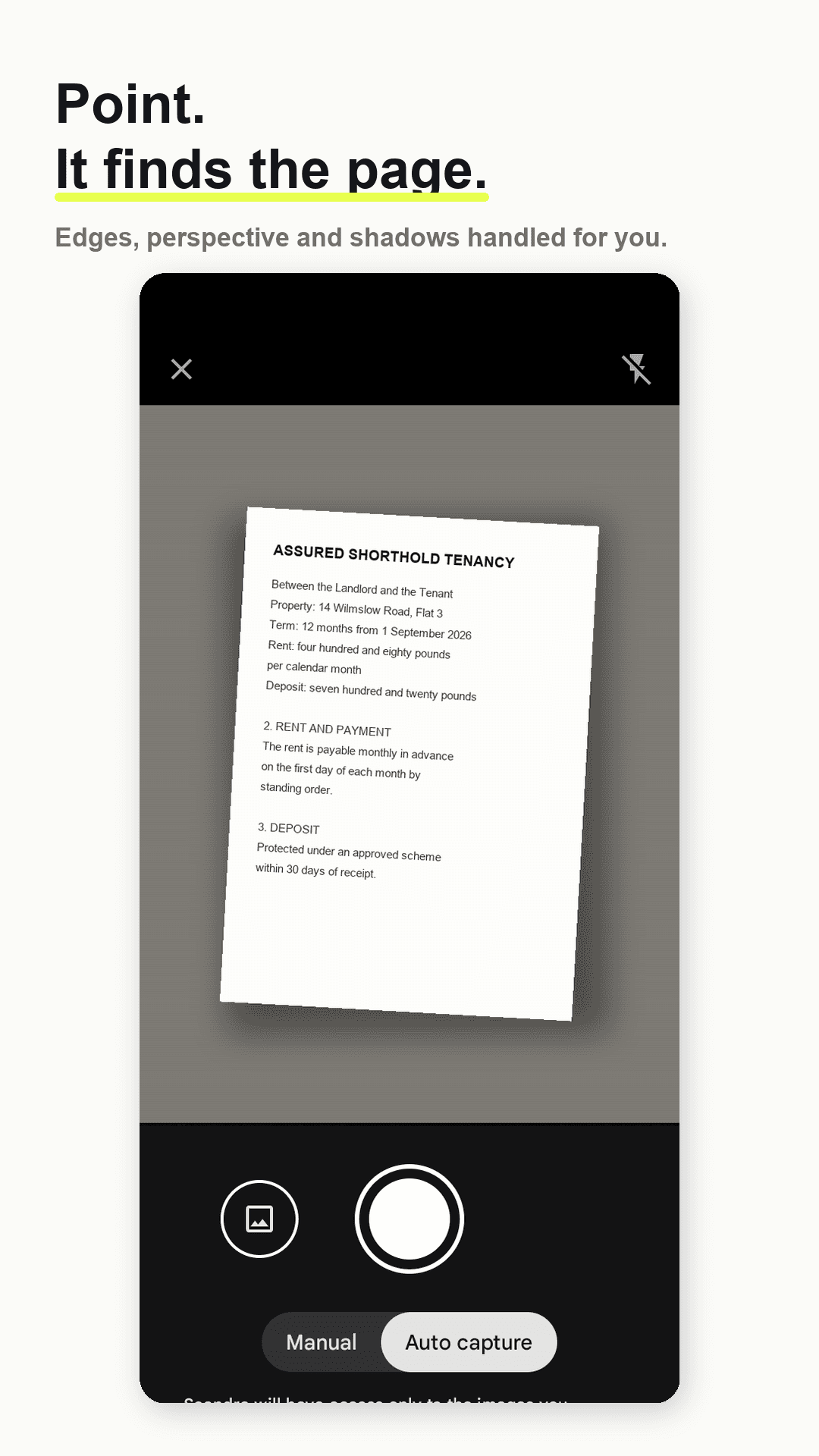
Point, and it finds the page

  • Automatic edge detection and perspective correction
  • Shadow and glare removal for readable pages
  • Multi-page capture, or manual mode with corner adjustment
Scandra scanning a page — automatic edge detection and perspective correction

Search

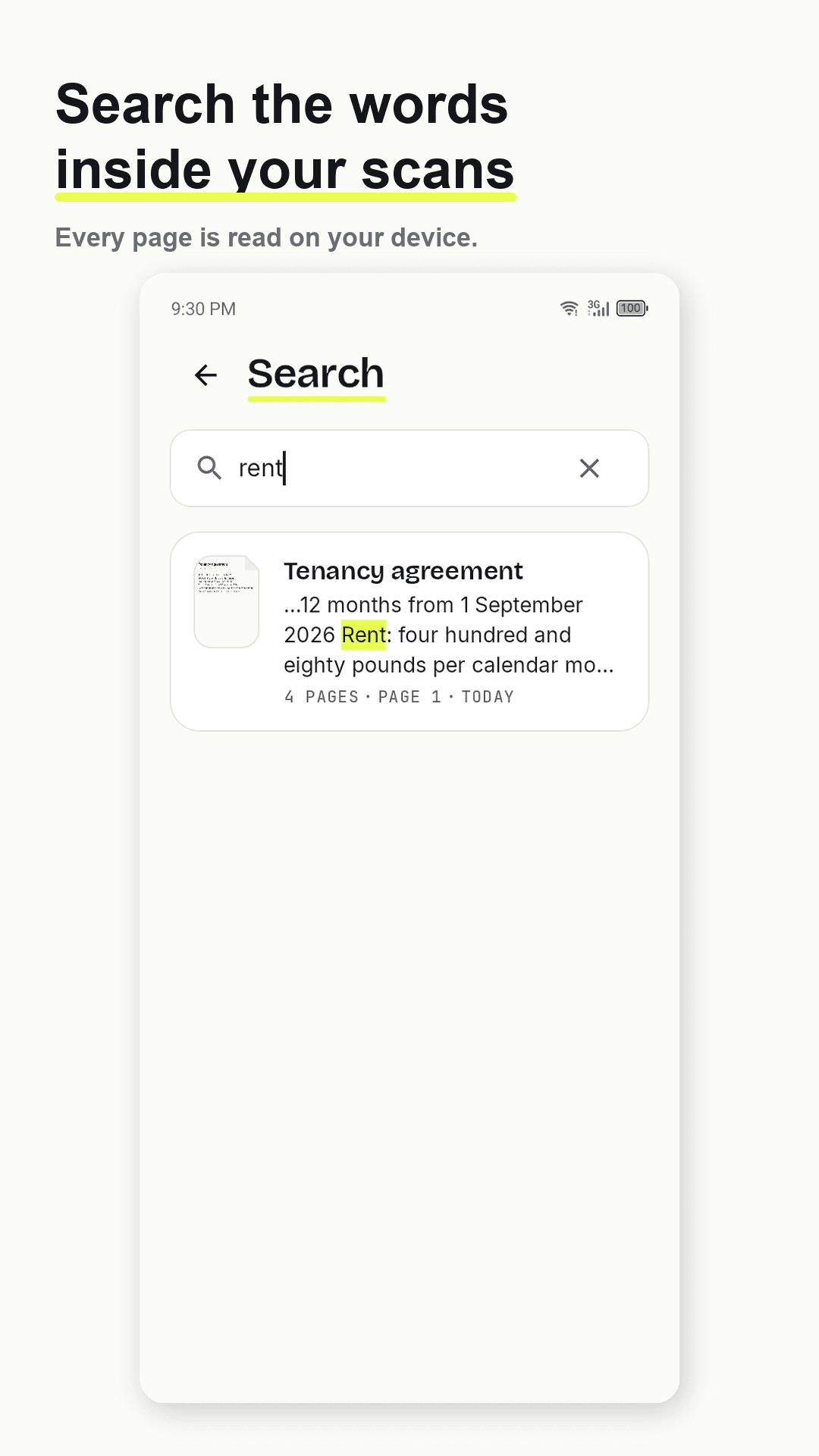
Find the words inside your scans

  • Text recognition runs on your device, with no internet
  • Search a word and find the document months later
  • Copy the text, export TXT, or save a searchable PDF
Scandra search — finding a document by a word inside the scan

PDF tools

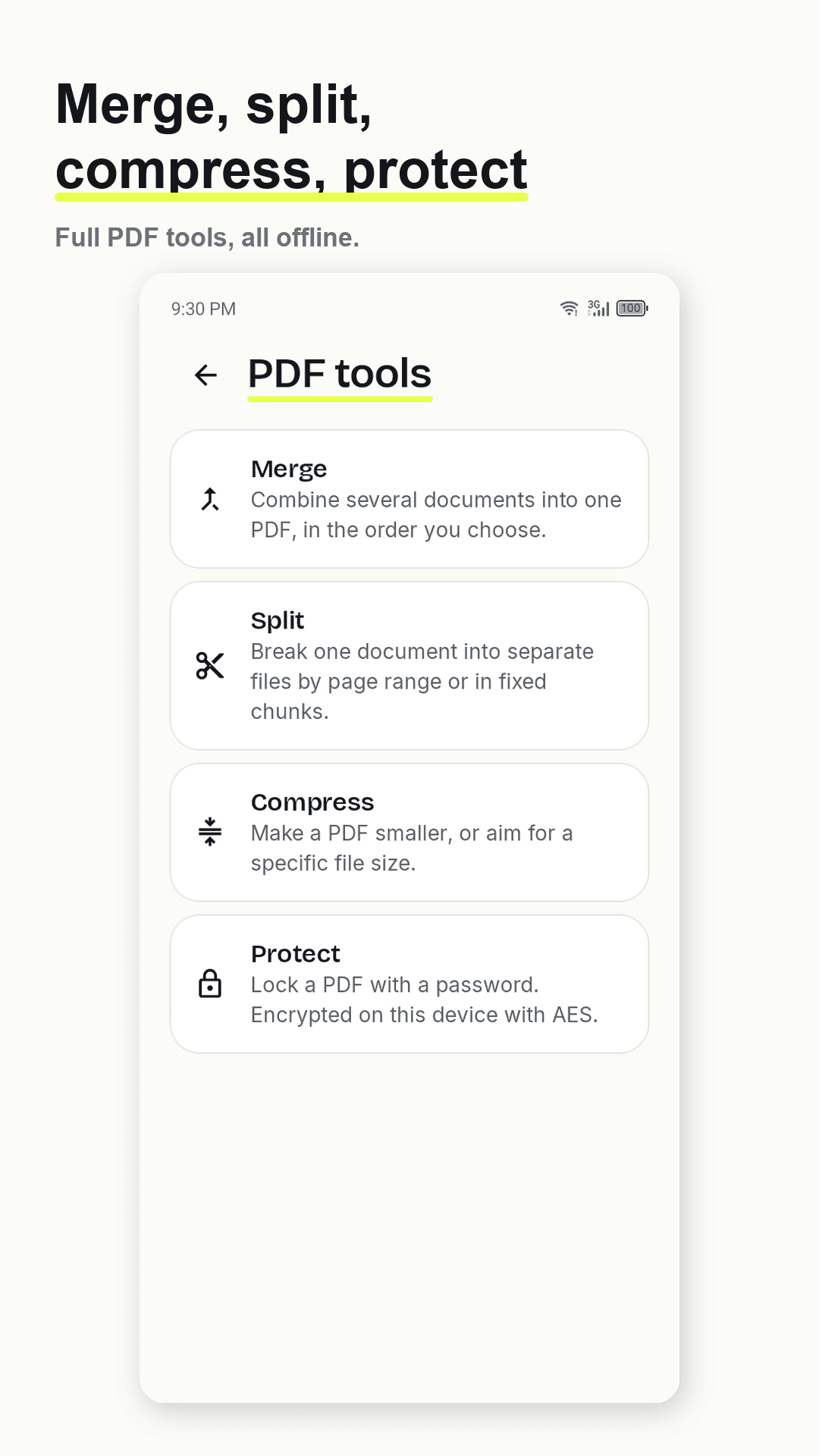
Merge, split, compress, protect

  • Combine documents in any order, or split by page range
  • Compress to a target file size for email and online forms
  • Password-protect with AES, applied on your device
Scandra PDF tools — merge, split, compress and password-protect

ID cards

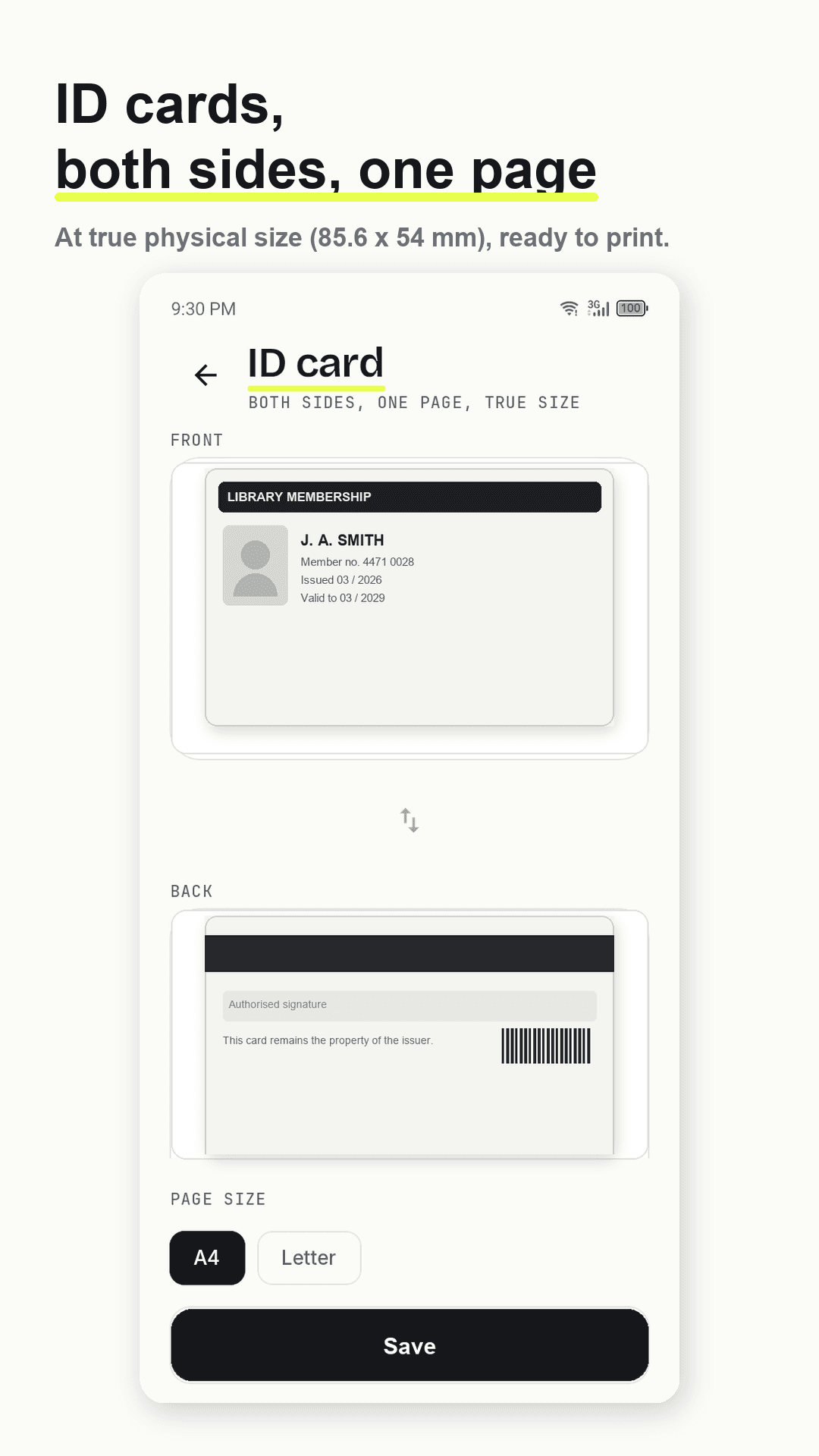
Both sides, one page, true size

  • Front and back on a single page at true physical size
  • Prints exactly like the real card
  • CNIC, driving licences, residence permits, student cards
Scandra ID card mode — both sides on one page at true physical size

Export

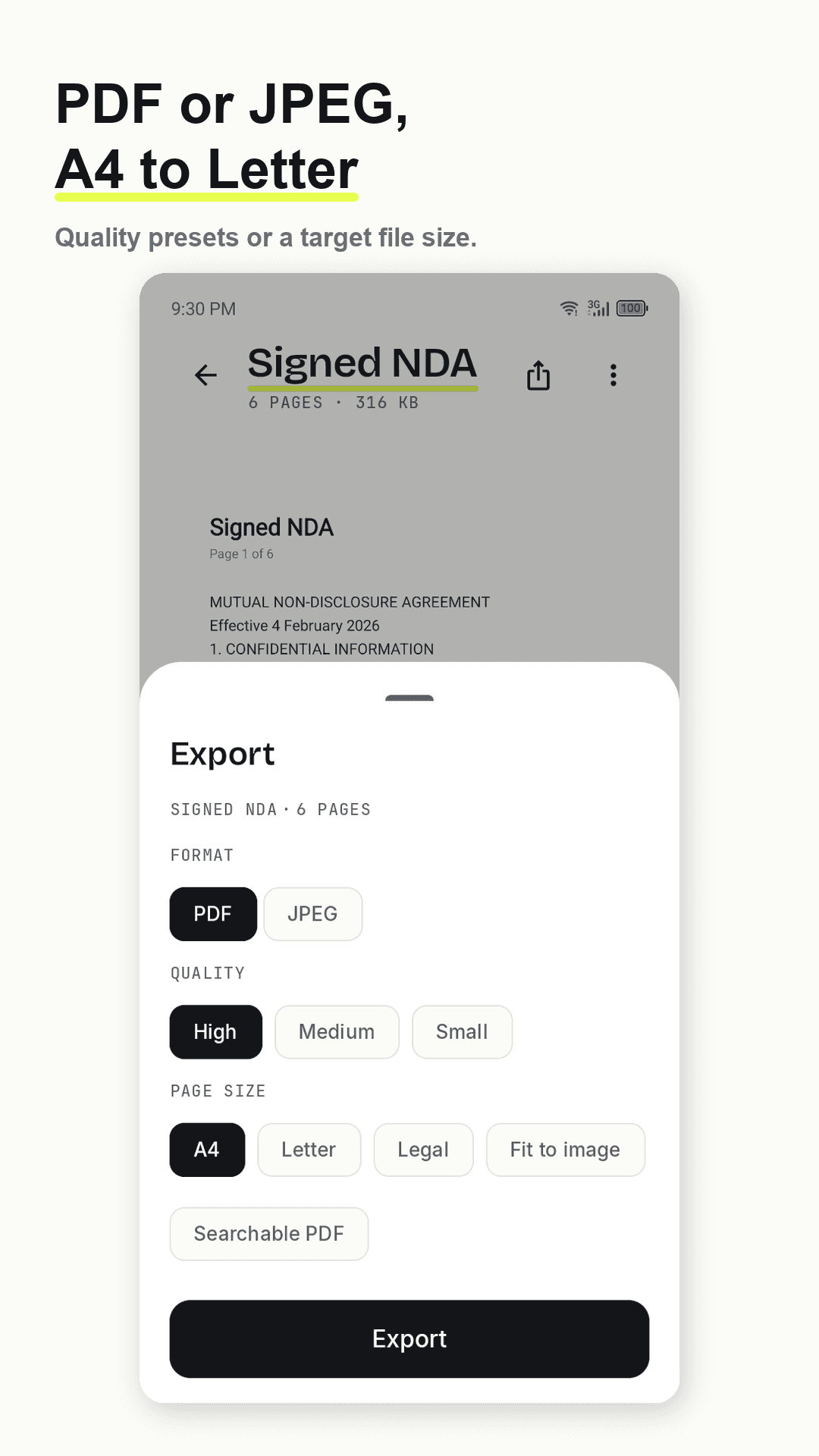
PDF or JPEG, A4 to Letter

  • A4, Letter, Legal or fit-to-image page sizes
  • Quality presets, or aim for a specific file size
  • Folders, quick search and bulk actions to keep it organised
Scandra export options — PDF or JPEG, A4, Letter, Legal or fit to image

Pricing

Free, and no subscription.

Unlimited scans, unlimited pages, and text recognition included rather than sold as an add-on. Every export is clean — there is no watermark on any of them.

  • Free — no account, no sign-up, no subscription
  • No watermark, ever, on any export
  • Ads support the free version; a one-time purchase removes them

Getting your documents out is never restricted — export to PDF, JPEG or TXT, and share them wherever you like.

Take a look

Scandra, screen by screen

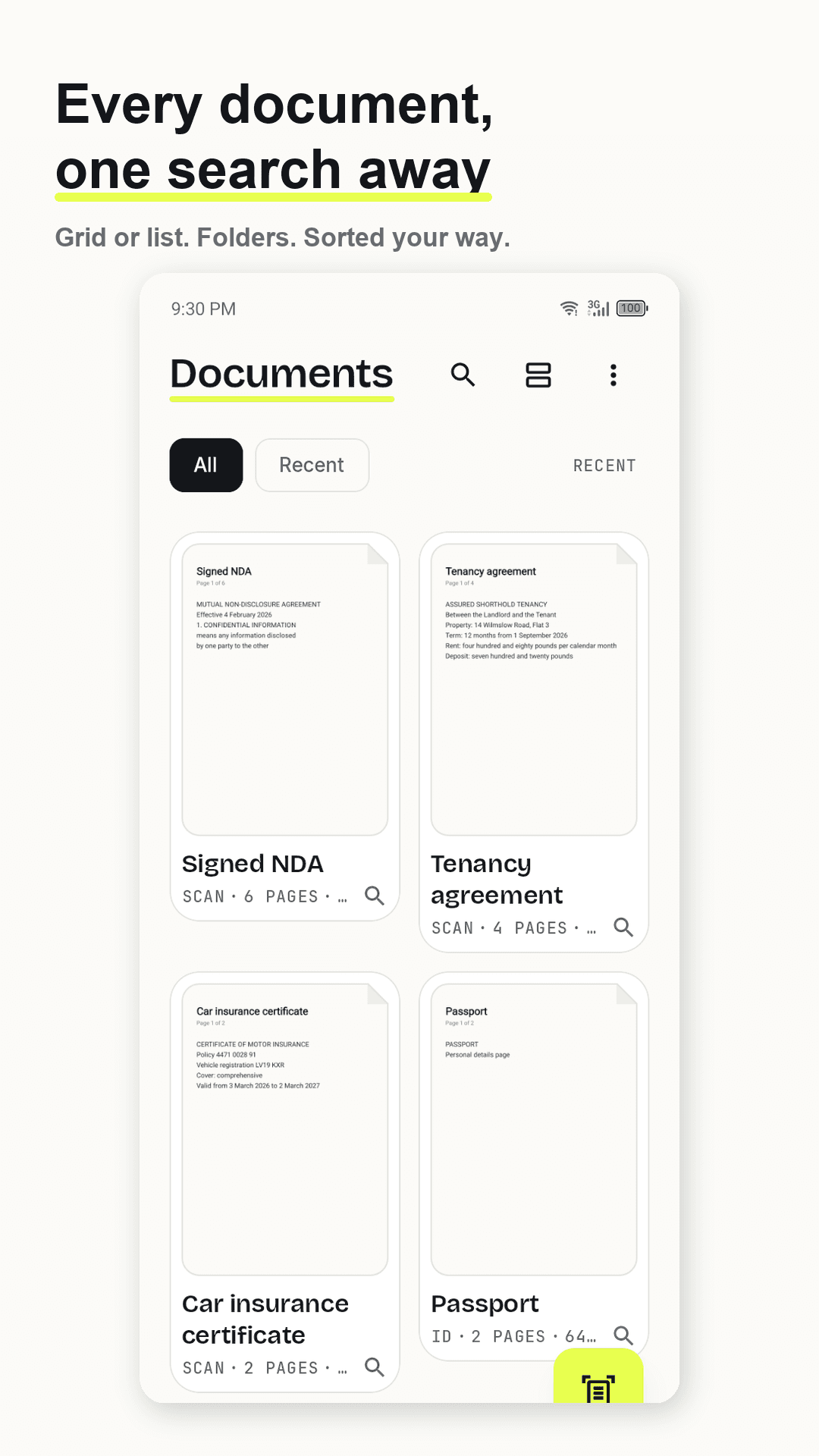
Scandra document library — every scan searchable, in folders, grid or list
Scandra scanning a page — automatic edge detection and perspective correction
Scandra search — finding a document by a word inside the scan
Scandra PDF tools — merge, split, compress and password-protect
Scandra ID card mode — both sides on one page at true physical size
Scandra export options — PDF or JPEG, A4, Letter, Legal or fit to image

Questions

Scandra — frequently asked

Does Scandra put a watermark on my scans?

No, never — on any export. Most scanner apps stamp free exports or lock basic tools behind a subscription. Scandra has unlimited scans, unlimited pages, and free text recognition rather than a paid add-on.

Does Scandra work offline?

Yes. Scanning, edge detection, text recognition, PDF merging, splitting, compression and password protection all run on your phone. There is no account and no server that could receive your documents.

Can I search inside my scans?

Yes. Scandra reads the text in each scan and stores it locally, so you can search for a word and find the document months later with no internet. You can also copy the text, export it as TXT, or save a searchable PDF.

Which languages does the text recognition support?

Latin scripts including English, Spanish, French, German, Portuguese, Italian, Indonesian and Turkish, plus Devanagari for Hindi, Marathi and Nepali, and Chinese, Japanese and Korean.

Can I scan an ID card properly?

Yes. ID card mode puts the front and back on a single page at true physical size, so it prints exactly like the real card — useful for CNIC, driving licences, residence permits and student cards.

Scandra app icon

Scan your first document in under a minute.

Free on Google Play.

Questions? hello@nainnielabs.com · Privacy policy