 Ledgra
Invoice, estimate & receipt maker · Offline · Android
Invoices without a subscription.
Create a professional PDF invoice in under a minute, send it on WhatsApp or email, and always know who still owes you money. Works offline, needs no account, and costs nothing a month.
The pricing promise
No monthly fee to send a bill
Most invoice apps rent you your own paperwork: a free tier capped at three invoices a month, a watermark until you upgrade, or a subscription that quietly rises every year. Ledgra's free tier is not a trial — unlimited invoices, estimates, clients and items, with an optional one-time Pro upgrade for the extra templates.
What the app does and does not collect is in the privacy policy.
What Ledgra does
From a line item to money in the bank
Billing
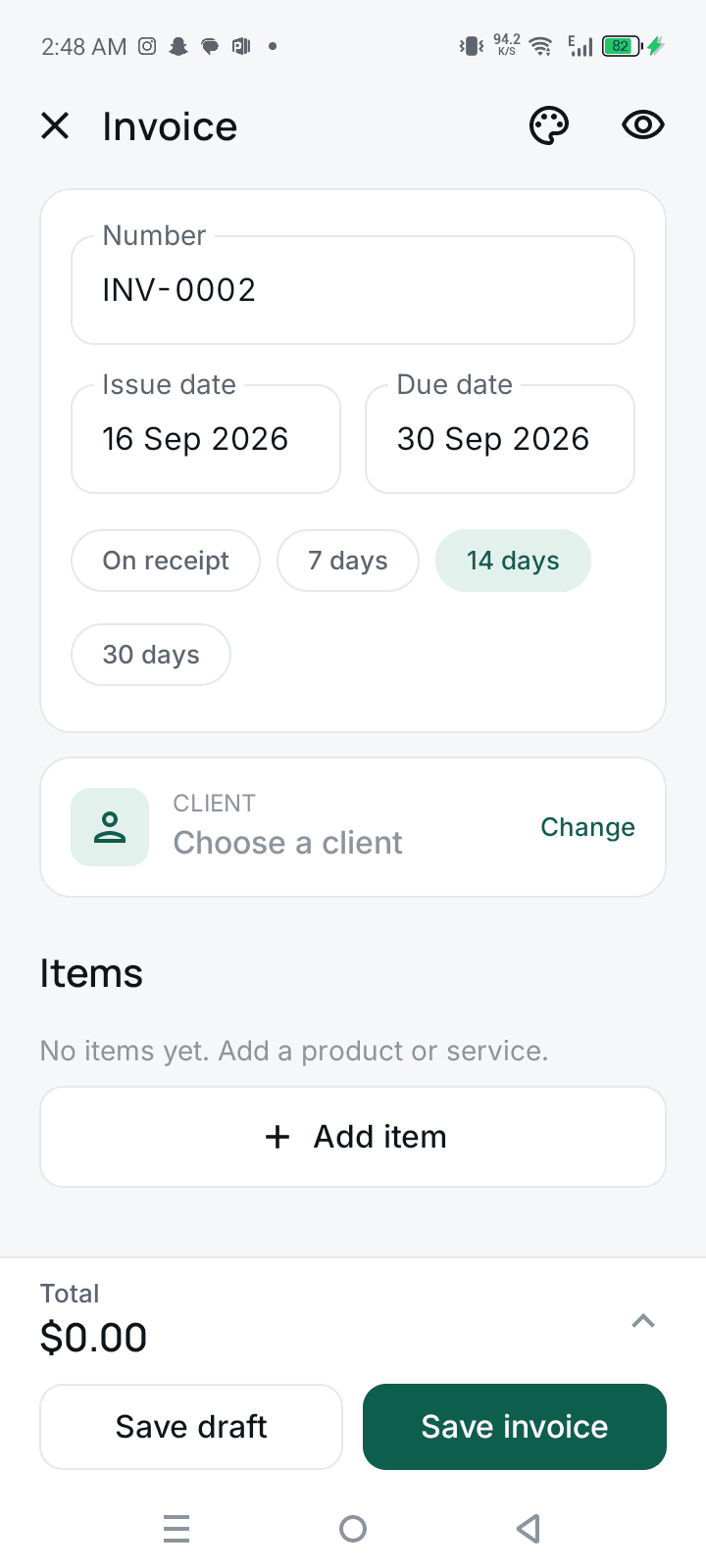
Invoice, estimate and receipt in one app
- Automatic numbering with your own prefix (INV-0001)
- Convert an accepted estimate into an invoice in one tap
- Record full or partial payments and send a receipt
- Tax inclusive or exclusive, multiple rates, VAT / GST / sales tax
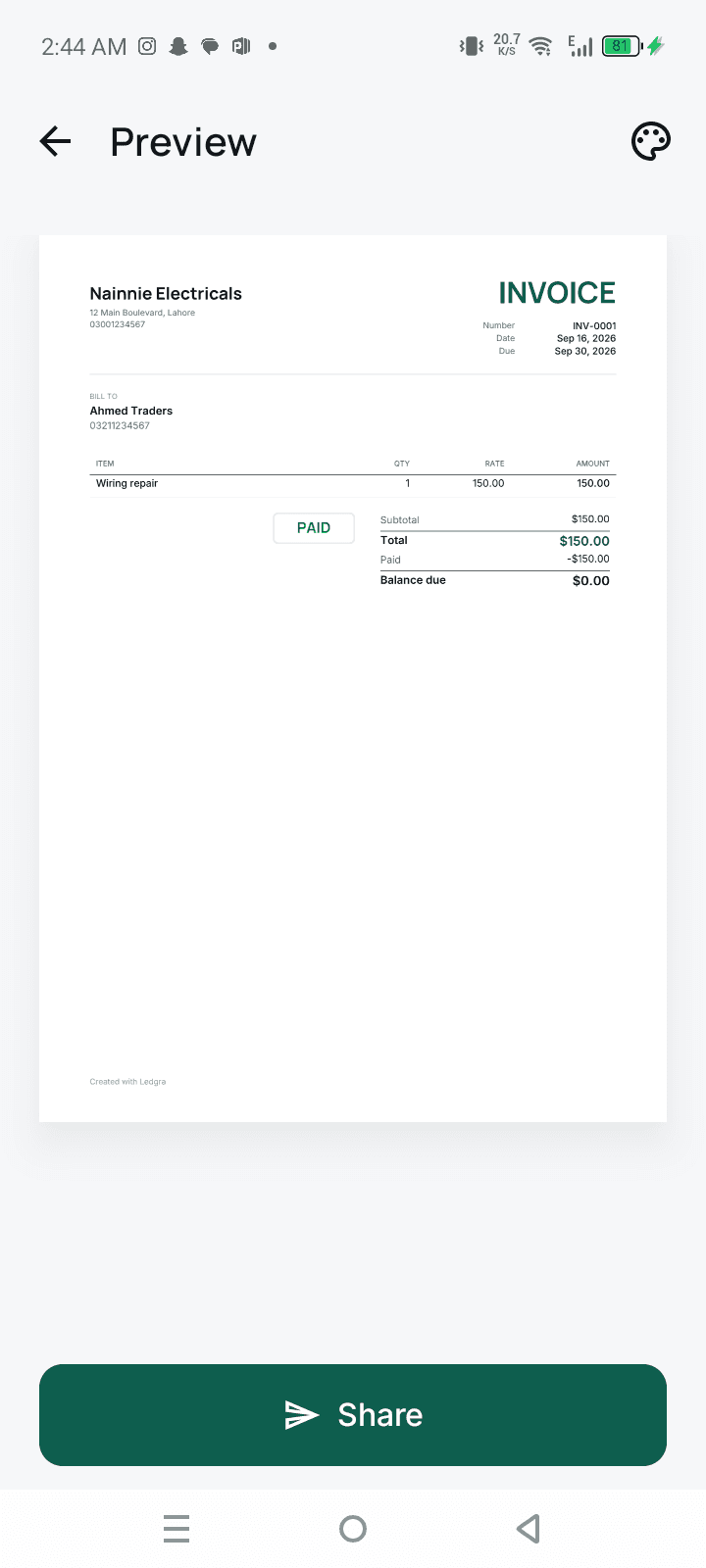
The PDF
A document that looks like you meant it
- Clean templates with your logo, signature and brand colour
- Selectable text, aligned numbers and exact totals
- Long invoices flow correctly across pages
- Share to WhatsApp, email or a printer from the share sheet
Get paid
Know who still owes you, without a spreadsheet
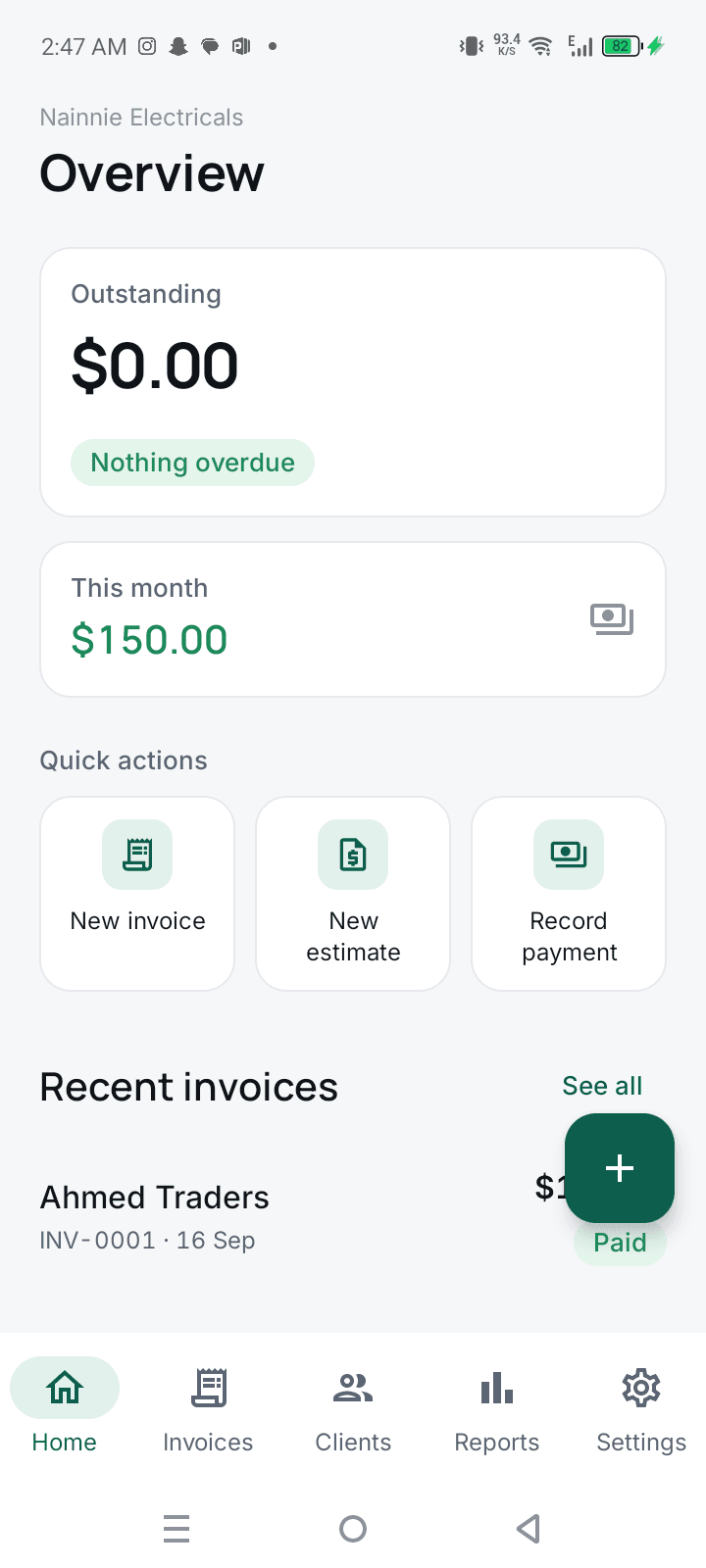
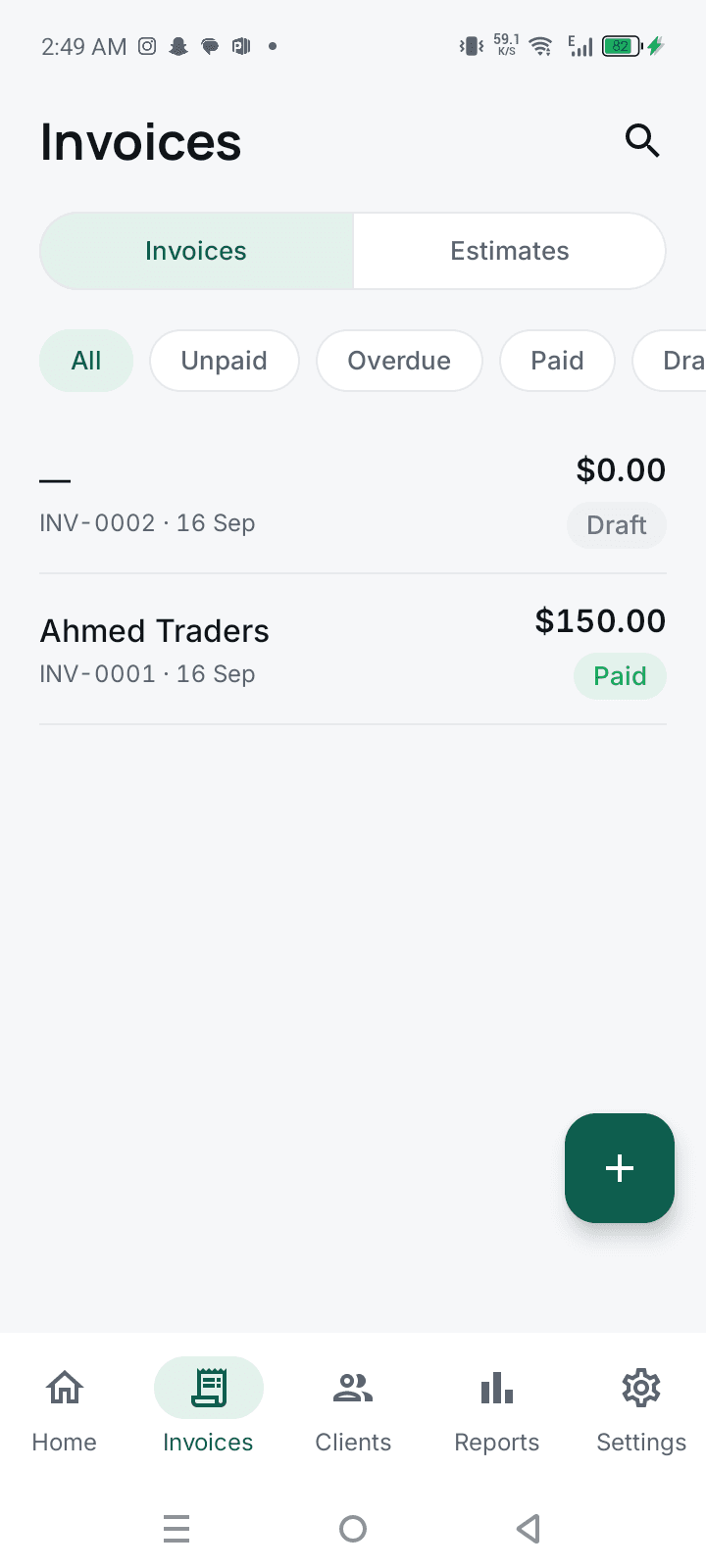
- Outstanding, overdue and this month's revenue on one dashboard
- Status at a glance: draft, sent, partially paid, paid, overdue
- Due-date reminders so you chase before it goes overdue
- Client statements listing every invoice and payment
Templates
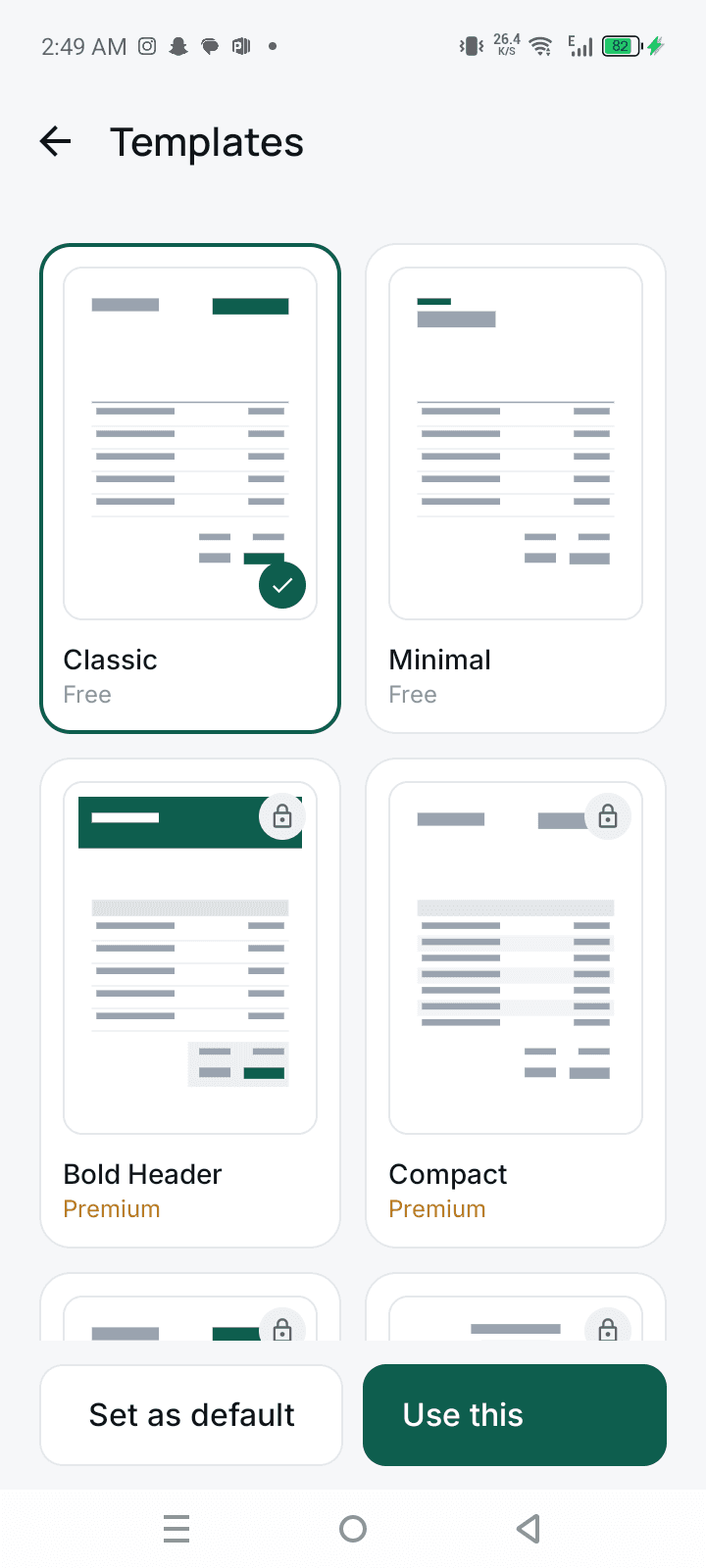
Pick a look once, use it forever
- Classic and Minimal free, with more in the one-time Pro upgrade
- Set a brand colour that carries across every document
- Preview the finished PDF before anything is sent
Reports
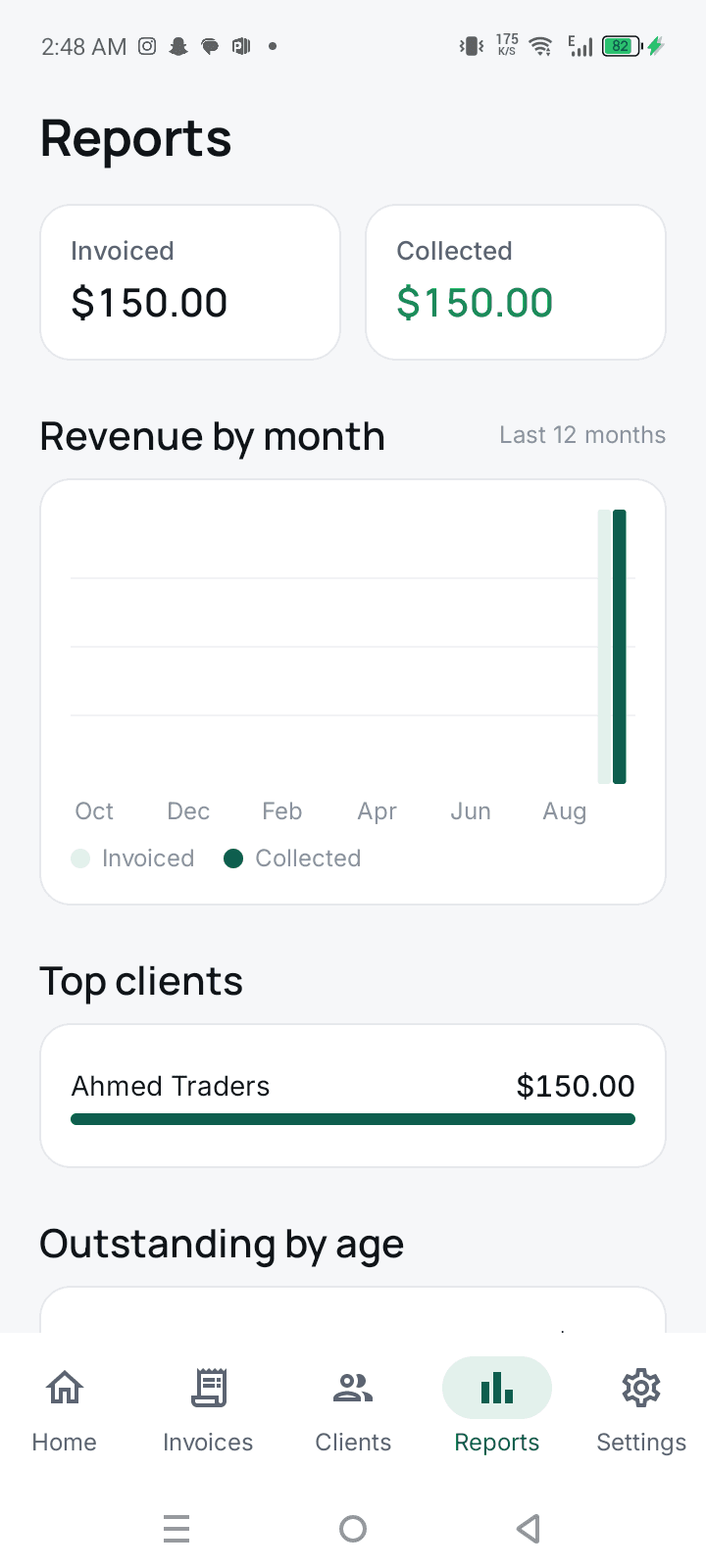
The numbers your accountant asks for
- Revenue by month and your top clients
- Outstanding aging: 0-30, 31-60 and 60+ days
- Export to CSV for a spreadsheet or an accountant
- Multi-currency, formatted the way each currency expects
Your data
On your phone, and nowhere else
- Invoices, clients and items stored on the device, not our servers
- Encrypted backup to Drive, files or anywhere you choose
- Lock the app with your fingerprint or a PIN
- Save clients once, import one from your contacts, reuse forever
Pricing
Free, and not a trial.
Unlimited invoices, estimates, clients and items, with no monthly fee and no cap that stops you mid-month. Pro is a single one-time purchase that adds the premium templates — buy it once or never, the billing still works.
- Free — no subscription, no account, no monthly cap
- Unlimited invoices, estimates, clients and items
- Optional one-time Pro upgrade for the premium templates
Your invoices are never held hostage: every one exports as a real PDF, and the whole database backs up to a file you keep.
Take a look
Ledgra, screen by screen
Questions
Ledgra — frequently asked
Is there an invoice app without a subscription?
Yes — Ledgra. Unlimited invoices, estimates, clients and items are free, with no monthly fee and nothing that expires. There is one optional Pro upgrade, bought once. Several invoice apps that started as one-time purchases later moved to subscriptions; Ledgra's free tier is the product, not a trial.
Can I make invoices without internet?
Yes. Ledgra runs entirely on your phone, so you can write an invoice on a job site, in a shop with no signal, or on a plane. Nothing is queued to sync later, because there is no server to sync with.
Do I need an account to use it?
No. There is no sign-up, no email and no password. You open the app, enter your business details once, and create your first invoice.
Can I send an invoice on WhatsApp?
Yes. Every invoice is a real PDF, handed to your phone's share sheet — so WhatsApp, email, Telegram, a printer or a file manager all work. The text in the PDF is selectable rather than a flat image.
Does Ledgra handle GST, VAT or sales tax?
Yes. You can set tax inclusive or exclusive, apply more than one rate, and label it as VAT, GST or sales tax to match your country. Discounts can be applied per line or to the total, alongside shipping, notes and payment instructions.
Can I send estimates or quotations?
Yes. Write an estimate, send it for approval, and convert it into an invoice in one tap when the client accepts — the line items, tax and client details carry across, so nothing is retyped.
How do I record a partial payment?
Record any amount against an invoice and Ledgra updates the balance and the status, then lets you send a payment receipt for what was received. Invoices show as draft, sent, partially paid, paid or overdue.
Can I put my own logo and signature on the invoice?
Yes. Add a logo, a signature image and your bank or mobile wallet details once, pick a template and a brand colour, and every invoice after that carries them.
Which currencies does it support?
USD, GBP, EUR, PKR, INR, AED, SAR and the rest, each with the number formatting that currency expects.
How do I move my invoices to a new phone?
Export an encrypted backup to Google Drive, your files, or wherever you like, then restore it on the new phone. The passphrase is yours — we never receive the file and cannot open it.
Can my accountant get the numbers out?
Yes. Reports cover revenue by month, top clients and outstanding aging (0-30, 31-60 and 60+ days), and export to CSV for a spreadsheet or an accountant.
Who is Ledgra for?
Freelancers and consultants, shopkeepers and retailers, electricians, plumbers and contractors, tutors and coaches, designers and photographers, online sellers and small agencies — anyone who bills clients and would rather not pay a subscription to do it.
Send your first invoice in under a minute.
Free on Google Play.
Questions? hello@nainnielabs.com · Privacy policy